
Download Video Converter Ultimate – Fast, Free, Secure Video Converter for Windows & Mac
Overview
Video Converter Ultimate by Aimersoft is a comprehensive multimedia suite that goes far beyond a simple file‑format changer. Designed for both casual users and power‑editors, the tool can convert SD and HD videos into any format required for smartphones, tablets, gaming consoles, or social‑media platforms. In addition to conversion, it packs a full‑featured video editor, a media player, a DVD burner/ripper, and a built‑in downloader for online videos.
Whether you need to trim a home‑movie, extract audio for a podcast, add subtitles for accessibility, or protect your content with watermarks, Video Converter Ultimate delivers a polished, all‑in‑one experience. The interface is clean and intuitive, allowing you to start a conversion in just a few clicks, while advanced settings let you fine‑tune bitrate, resolution, brightness, saturation, and contrast. Multilingual support (English, Chinese, French, Italian, German, Portuguese, Japanese, Spanish) makes the software accessible worldwide, and built‑in sharing options let you push finished videos directly to YouTube, Facebook, or Instagram.
Overall, Video Converter Ultimate is positioned as a “download‑once, use‑forever” solution that combines speed, flexibility, and security, making it a solid choice for anyone who works with video on a regular basis.
Key Features That Set Video Converter Ultimate Apart
- All‑In‑One Conversion Engine: Supports more than 300 video and audio formats, including MP4, AVI, MKV, MOV, FLV, AVCHD, HD WMV, and M2TS.
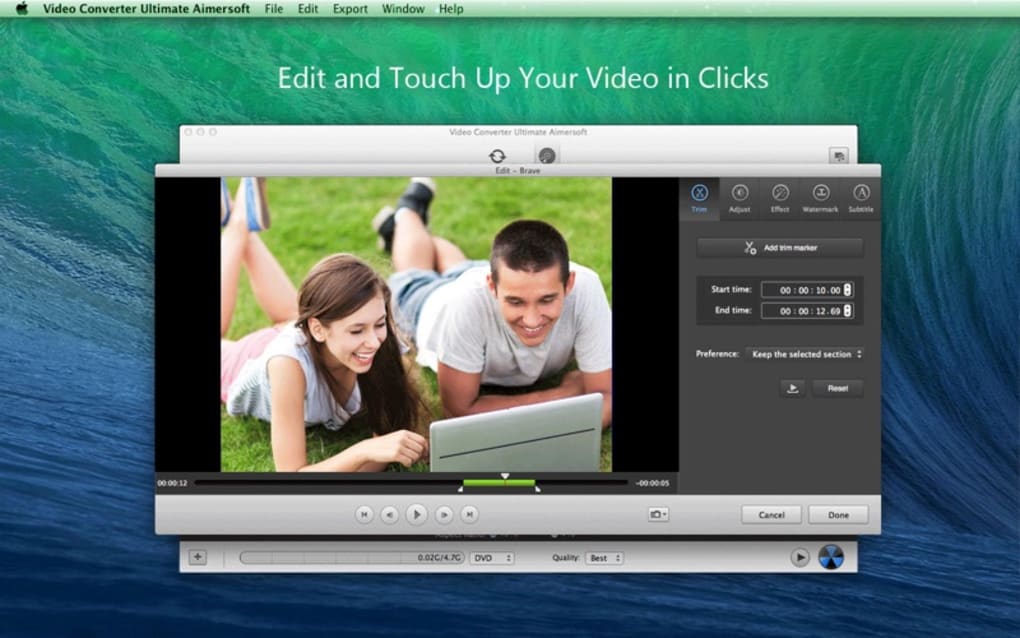
- Built‑In Video Editor: Trim, crop, merge, rotate, and add watermarks, subtitles, or custom audio tracks without leaving the application.
- High‑Speed GPU Acceleration: Leverages NVIDIA, AMD, and Intel graphics cards to speed up conversion by up to 5× compared with CPU‑only processing.
- Batch Processing & Preset Profiles: Convert multiple files simultaneously and save device‑specific presets for iPhone, Android, Xbox, PlayStation, and more.
- DVD/Blu‑Ray Burner & Ripper: Burn converted videos to DVD/Blu‑Ray discs or rip existing discs into editable digital files.
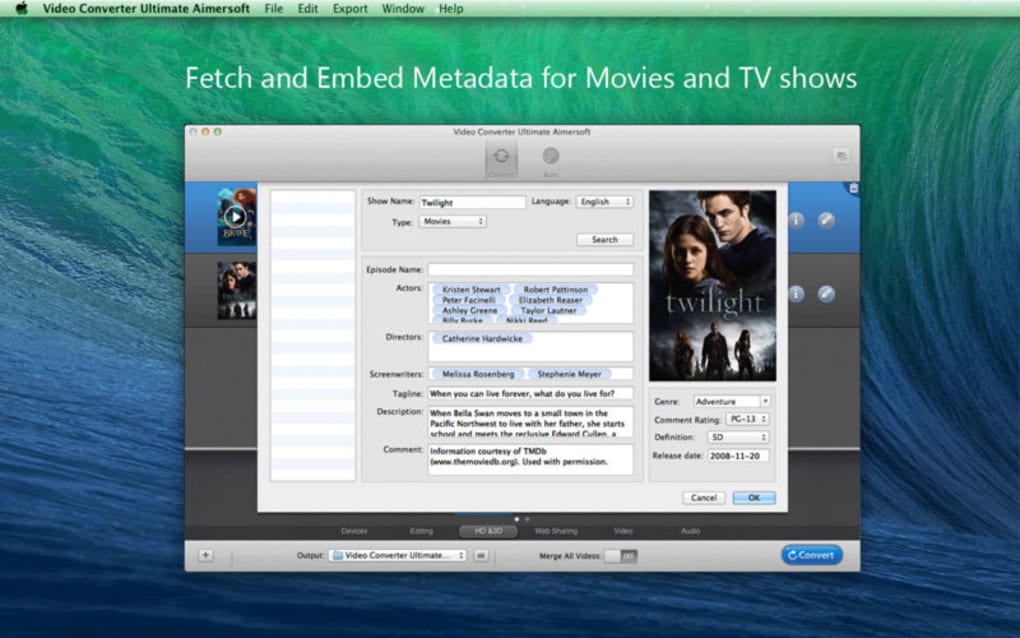
- Online Video Downloader: Download movies or TV shows from popular streaming sites and embed metadata automatically.
- Audio Extraction & Conversion: Pull audio tracks from any video and save them as MP3, WAV, AAC, or FLAC for music players.
- Color & Lighting Controls: Adjust brightness, contrast, saturation, and gamma to improve visual quality before conversion.
- Secure & Privacy‑Focused: All conversions happen locally; no files are uploaded to the cloud, ensuring your data stays private.
- Social Media Integration: Directly share converted videos to YouTube, Facebook, Instagram, or Vimeo with one click.
Installation & Usage Instructions – Get Started in Minutes
Step‑By‑Step Installation
Downloading Video Converter Ultimate is straightforward. Visit the official Aimersoft website, click the Download Free Trial button, and save the installer (compatible with Windows 10/11 and macOS 10.13 or later). Run the executable (Windows) or .dmg file (Mac) and follow the on‑screen wizard:
- Accept the End‑User License Agreement.
- Choose the installation folder (default is fine for most users).
- Opt‑in for optional components such as the DVD burning module or the online video downloader.
- Click Install and wait for the progress bar to complete.
- Launch the application and register with the provided license key to unlock the full feature set.
Typical Workflow for Converting a Video
Once installed, the workflow is designed for speed:
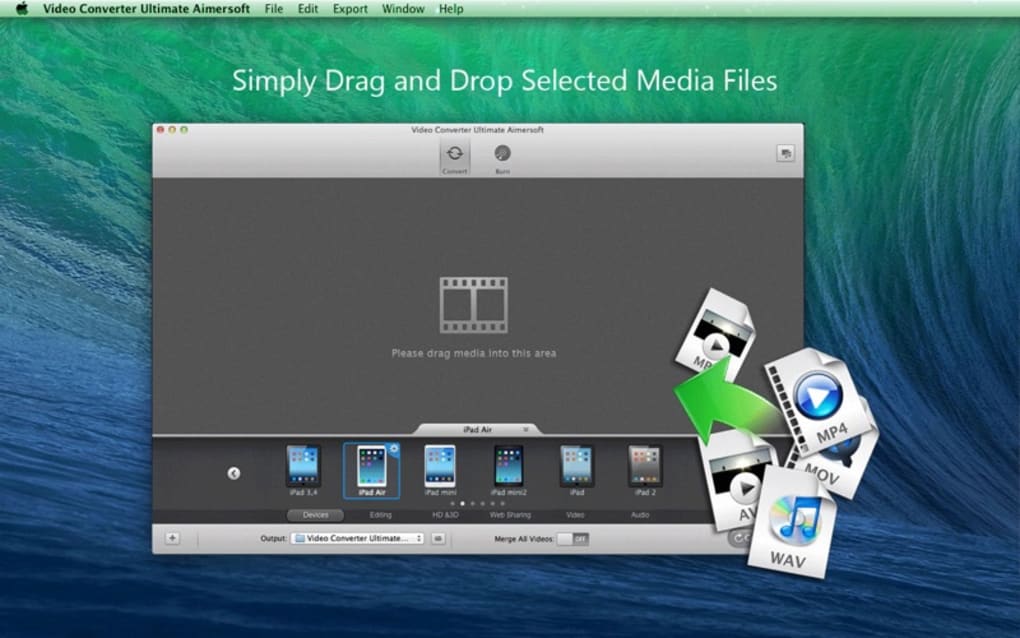
- Add Files: Drag‑and‑drop your source video or click the Add Files button to browse.
- Select Output Format: Choose a preset (e.g., “iPhone 13”) or manually pick a container (MP4, MKV) and codec (H.264, HEVC).
- Adjust Settings (Optional): Open the Edit tab to trim, crop, add subtitles, or modify color settings.
- Choose Destination: Set the output folder or let the program store files in the default “Converted” directory.
- Start Conversion: Hit the Convert button. A progress bar displays real‑time speed, and you can pause or cancel at any moment.
- Play or Share: After conversion, the built‑in player lets you preview the result, or you can click Share to upload directly to a social platform.
The interface also includes a Batch Queue where you can line up dozens of videos, assign different output formats per file, and let the software run overnight. For advanced users, the Preferences pane offers control over GPU usage, default codecs, and automatic update checks.
Compatibility, Pros & Cons, and Expert Review
Supported Operating Systems: Windows 10/11 (64‑bit), Windows 8/8.1, Windows 7 SP1, and macOS 10.13 or newer (including Apple Silicon with Rosetta 2 support). The software runs efficiently on both laptops and desktops, with a minimal memory footprint (≈200 MB RAM during conversion).
Pros
- Extensive format support covers virtually any device you own.
- Integrated editor eliminates the need for third‑party tools.
- GPU acceleration dramatically reduces conversion times.
- One‑click social media sharing streamlines publishing.
- Local processing keeps your media private and secure.
Cons
- Full feature set requires a paid license; the free trial adds a watermark.
- Advanced settings can be overwhelming for absolute beginners.
- Occasional UI lag on older machines without GPU support.
Video Converter Ultimate delivers a rare blend of power and ease‑of‑use. The conversion speed, especially when GPU acceleration is enabled, is impressive, and the all‑in‑one editor saves a lot of time. While the learning curve for the advanced features may be steep, the preset profiles simplify the process for most users. Overall, it’s a reliable, secure, and feature‑rich solution that justifies its price tag for professionals and enthusiasts alike.
Frequently Asked Questions
Is Video Converter Ultimate free to use?
A free trial is available, but it adds a watermark to output files. To unlock the full feature set and remove watermarks, you need to purchase a license.
Can I convert 4K videos without losing quality?
Yes. The software supports lossless conversion for 4K UHD formats when you choose matching bitrate and codec settings, and GPU acceleration helps keep the process fast.
Does Video Converter Ultimate work on Apple Silicon Macs?
The macOS version runs under Rosetta 2 on Apple Silicon. Native support is planned for a future update, but current performance is acceptable for most tasks.
Can I batch‑convert multiple files with different output formats?
Absolutely. The batch queue lets you assign individual output presets to each file, so you can convert a mix of formats in a single session.
Is my data safe during conversion?
All processing occurs locally on your computer; no files are uploaded to the cloud, ensuring that your media remains private and secure.
Conclusion – Why You Should Download Video Converter Ultimate Today
Video Converter Ultimate by Aimersoft stands out in a crowded market thanks to its robust conversion engine, integrated editing tools, and strong focus on security. Whether you’re a content creator needing fast 4K conversions, a teacher preparing lecture videos, or simply a homeowner wanting to share family movies across devices, this software offers a reliable, all‑in‑one solution. The combination of GPU‑accelerated speed, extensive format support, and direct social‑media sharing makes it a worthwhile investment. Click the download button below, install the trial, and experience the seamless workflow that has earned it high ratings from both users and industry experts.
Download Video Converter Ultimate now and start converting with confidence.







